
HOA Access Control Buyers Guide
- Key C. Powell

- Jan 6
- 5 min read

Selecting the correct access control platform is the most important first step when considering a system upgrade for your community. There are dozens of platforms available, each offering different features, pricing models, and user experiences. When working with a community association, I typically start by asking the following questions.
1. Is the association comfortable paying a monthly fee?
Older access control platforms often had no ongoing costs. Many modern systems, however, require recurring fees for cloud hosting, VOIP services, mobile credentials, or software licensing. While these fees can be a concern for some associations, they often fund important features such as remote access, system updates, and improved reliability.
2. Is cloud-based programming important?

Traditional systems required software and databases to be installed on a specific on-site computer. Newer platforms often store data in the cloud, usually for a monthly fee. While this may seem unnecessary at first, cloud-based systems help prevent data loss, keep firmware updated, and allow authorized users to manage the system from any internet-connected device.
3. Are access fobs cloneable?
Many commonly used access fobs can be easily duplicated using kiosks found in hardware stores. Platforms that rely on cloneable fobs reduce an association’s ability to control how many people truly have access to the property. When evaluating a system, it’s important to understand whether the credentials can be copied without the association’s knowledge.
4. What about facial recognition or fingerprint access?

Before 2020, many access control manufacturers were developing facial recognition and biometric systems. While the concept is appealing—hands-free access and credentials that can’t be copied—the technology has not proven reliable for larger communities. Facial recognition systems can be slow and inconsistent, often taking several seconds to approve access. Fingerprint readers commonly suffer from false rejections and, in some cases, false acceptances. Associations interested in these technologies should carefully evaluate the downsides and consider testing them at a single door before committing to a community-wide rollout.
5. Does the platform support mobile credentials?
Mobile credentials (using a smartphone instead of a fob or card) have grown rapidly in popularity over the past four years. Even if an association does not plan to implement mobile credentials immediately, it is wise to choose a platform that supports them. It is reasonable to expect that more than half of homeowners will prefer mobile credentials within five years.
Mobile credentials typically fall into three categories:
1) Opening an app and pressing a button to unlock a door
2) Holding the phone near a reader, similar to a fob
3) Hands-free access, where the phone stays in a pocket and the reader communicates automatically
Not all platforms support all options, so expectations should be clearly defined when selecting a system.
6. How will guests and vendors be managed?
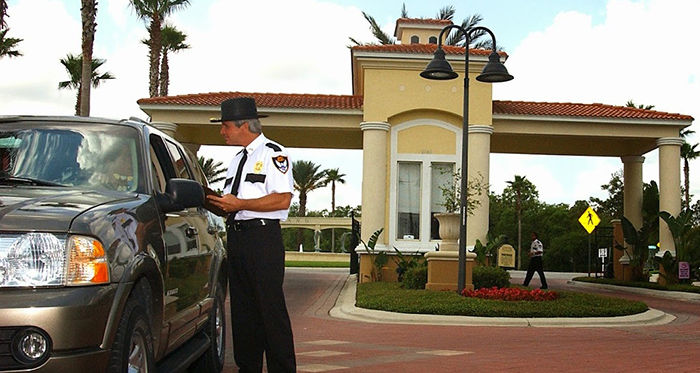
If a community uses a manned or virtual guard, the access control platform should allow guards to view approved guests and log visitor activity. Ideally, homeowners should also be able to manage guests through an online portal or mobile app. Even in unmanned communities, many modern platforms offer digital guest passes using QR codes, barcodes, or web links that allow temporary access without staff involvement.
7. Is camera integration important?

Linking access events with video footage can be extremely valuable. Some platforms integrate with third-party camera systems to automatically attach video clips to access logs, while others include built-in cameras. These video records can help verify who accessed the property and resolve disputes or incidents more efficiently.
8. Does the property require telephone or visitor entry?
Telephone or visitor entry systems are a major deciding factor when choosing a platform. While many access control systems exist, only a limited number allow guests to contact residents directly for access. These systems are common in gated communities and high-rise buildings with secured common areas. Using a separate telephone entry system alongside access control often means maintaining multiple databases and audit trails, which increases administrative work and homeowner confusion.
9. How will vehicles access the property?

Vehicle access is commonly handled using garage-style transmitters, keychain remotes, long-range RFID tags, or barcode scanners. Each option has advantages and drawbacks, but RFID systems are currently among the most popular due to their durability, ease of use, and relatively low cost.
10. Should PIN codes be used for access?
Most platforms still support four- to eight-digit PIN codes, but PINs are generally discouraged for community use. While they are easy to issue, they are just as easy to share. Once a single person distributes a code, it often spreads quickly. Many properties also rely on predictable PINs such as addresses, birth years, or repeating numbers, which significantly reduces security.
11. How concerned is the association about proprietary platforms?
Several years ago, a widely used access control manufacturer shut down unexpectedly. Many communities were left unable to obtain replacement parts, expand their systems, or maintain compatibility with updated software. As a result, associations were forced into premature and costly system replacements. While many platforms are proprietary, associations should prioritize vendors with long-term stability, strong support networks, and a proven track record. Choosing a platform commonly used in your local market also ensures more service providers can support the system over time. As a general rule, avoiding brand-new releases and selecting platforms that have been on the market for at least 24 months helps reduce risk.
12. Who else is using this platform?
Vendor references are helpful, but they should not be the only source of feedback. Speaking directly with nearby communities and other managers provides real-world insight into how a system performs after installation. Many platforms look impressive on paper but fall short in daily operation. A small amount of research upfront can prevent years of frustration later.
Do you need elevator access control? (I almost forgot this one)

Some high rise buildings will use electronic access to control which floors the elevator is allowed to stop at. This is another feature that not many platforms do well or at all. If your building requires access control in your elevators, be sure to mention that early in the process as it will greatly limit the platforms available.
In the end, associations should consider these items and features prior to requesting a proposal to upgrade your systems. This will help clarify what the association's needs are while ensuring your proposals are offering similar products.



Comments